Image-to-Image Editing Ideas – img2img
Explore ideas here; upload and edit on the partner site.
Ready to edit a photo?
Open our partner Supavisual, sign in if asked, then upload your image in its paid photo editor. Your image and any instructions are entered there, not on this page.
Open Supavisual photo editorPartner link only · No image or prompt is sent from this site · Check pricing before editing.
Ideas to explore in your own editor (not ready-made outputs)
 Cinematic landscape
 Portrait refresh
 Product studio
 Illustrated style
How the partner photo editor works
This is a guide, not an editor. Supavisual handles the upload and edit on its own site after you open the partner link.
- 1 · Open SupavisualSign in if required and find its photo editor at /edit. There is no upload or prompt handoff from Img2img.
- 2 · Upload thereBring a JPEG, PNG, WebP, GIF or AVIF image up to 25 MB; the upload happens on Supavisual, not here.
- 3 · Review the paid editing optionsEnter any edit instructions on the partner site and check its pricing before proceeding. This link does not offer a free generation or a model selector.
Inspirations >>
More ideas


How to Transform an Image with Image to Image AI Online
Pick a source image
Choose a photo you may edit; this page does not accept uploads.
Open the partner editor
Follow the link to Supavisual, sign in if prompted and open its /edit photo editor.
Upload and describe there
Upload your file and enter your edit instructions on Supavisual. Nothing you type here is forwarded.
Check pricing and review
Review the partner's paid terms before editing and inspect any result there.
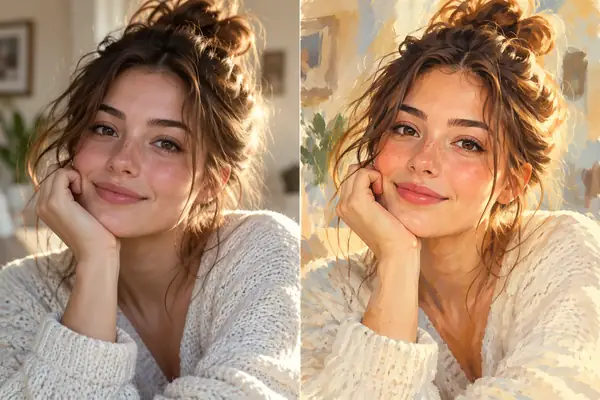
What is image-to-image editing?
Image-to-image editing starts with a visual reference and an instruction. Our guide helps you plan the change; the actual upload and editing take place on partner Supavisual after sign-in if needed and subject to its paid terms.
One place for your ideas
Start with your image and a description instead of trying to communicate a visual change from scratch.
Explore creative effects
Consider lighting, colour, texture and style together while keeping the subject of your reference in mind.
Describe edits in plain language
A direction such as “make the background warm and minimal” is an easy place to begin.
Why plan your image-to-image edit first?
A useful reference, a clear prompt and a little inspiration can make an uncertain visual idea easier to explore. Find a direction for portraits, products and creative projects before moving into the image tool.
Compare the feel of different approaches—from a careful portrait refresh to a more dramatic restyle—and choose the one that fits your image.
Use an example as a starting point, then change its subject, setting and visual details to suit your own project.
Plan visual changes for a headshot, an illustration, a product image or a campaign concept.

Comprehensive Image to Image Ideas & Img2img Inspiration
From a quick visual adjustment to an entirely different artistic treatment, start with the kind of image you want to make.
Portrait Editing
Explore a different mood for a headshot or creator portrait. Describe lighting, tones and backgrounds while making clear which personal details matter most.
Style Transfer
Imagine a photo as a painting, a cinematic still or a graphic illustration. Explain the textures and colours you want while referencing the original composition.
Art Illustration
Develop a sketch or reference into an illustration concept. Call out brushwork, atmosphere and areas of emphasis to give the idea a stronger visual identity.
Commercial Design
Plan a product setting or marketing visual with a deliberate palette and lighting direction. Keep your brief focused on the subject and the intended setting.
Anime Design
Try a character-focused illustrated look. Describe the linework, expressions and clothing you want to carry through the new visual treatment.
Image Quality Ideas
Identify what feels off in a picture—flat light, distracting surroundings or weak contrast—and describe the cleaner result you would like to see.
A Starting Point for Image Creators
Explore image-to-image possibilities through a simple prompt and a visual reference.
Ways to explore
6
Creative directions above
From idea to edit
4
Straightforward steps
Your starting point
1
Image or description
What Creators Can Make with Img2img
A few practical starting points for designers, marketers and everyday image makers.
Product visuals
Commercial concepts
“Place this product against a warm neutral backdrop with soft side lighting and a clean editorial feel.”
Campaign imagery
Design explorations
“Give this photograph a bright, energetic palette while retaining the subject and overall framing.”
Personal projects
Portrait and style ideas
“Restyle this portrait with soft film grain, natural skin tones and late-afternoon window light.”
Image to Image AI Online — FAQ
A few helpful answers before you explore image-to-image editing.
I’m not good at prompts—can I still use it?
Yes. Start with a plain description, such as “make the background lighter,” then add details about the look you want.
How do I describe a consistent look?
Name the colours, lighting and details you want to keep. A clear reference and specific instructions help communicate your direction.
What image should I start with?
Choose an image where your subject is easy to see. Good lighting and an uncluttered reference make your desired change easier to describe.
Can I keep a person or product recognisable?
Tell the image tool which features should remain. Review the output carefully whenever consistency is important to your project.
Any tips for commercial projects?
Use references you have the rights to use, and review any resulting imagery for brand, likeness and other applicable requirements.
Where do I enter edit instructions?
After opening Supavisual, sign in if needed and use its /edit photo editor. This site does not collect or forward your prompt or image; review paid terms there first.
Start Transforming
Your Image Today
Bring a reference image and an idea for what it could become.